
Download USB Over Network – Remote USB Access, Device Sharing, Productivity Tool
Overview
USB Over Network is a specialized mobile application designed to enable remote access to USB devices connected to computers within a local network. The app serves as a bridge between physical peripherals and remote users, allowing seamless interaction with devices such as external hard drives, printers, and other USB-connected tools without the need for physical relocation. This functionality is particularly valuable in both home and office environments where multiple users require access to shared hardware resources.
The primary purpose of USB Over Network is to eliminate the limitations imposed by physical proximity. By leveraging network-based communication, the app allows users to access USB devices from any device on the same network, enhancing workflow efficiency and reducing downtime. It is ideal for users managing shared workspaces, remote teams, or individuals with multiple computers spread across different rooms.
Although the developer did not provide additional technical details, the application operates in a client-server configuration, requiring installation on both the host and client machines. This setup ensures secure and stable data transmission between devices. The app supports versatile device sharing, making it suitable for a wide range of use cases—from backing up files via a remote hard drive to printing documents from a different workstation. Its role in the mobile and productivity ecosystem lies in bridging the gap between traditional hardware and modern networked computing, offering a practical solution for device accessibility.
Key Features & Functionality
- Remote USB Access: Users can access USB devices connected to any computer on the local network, enabling file transfers, printing, and device control from a distance. This is especially useful when a printer is located in a different room or a backup drive is connected to a desktop not in use.
- Client-Server Architecture: The app operates in a client-server mode, requiring installation on both the device hosting the USB peripheral and the device seeking access. This ensures secure and reliable connections while maintaining control over device sharing permissions.
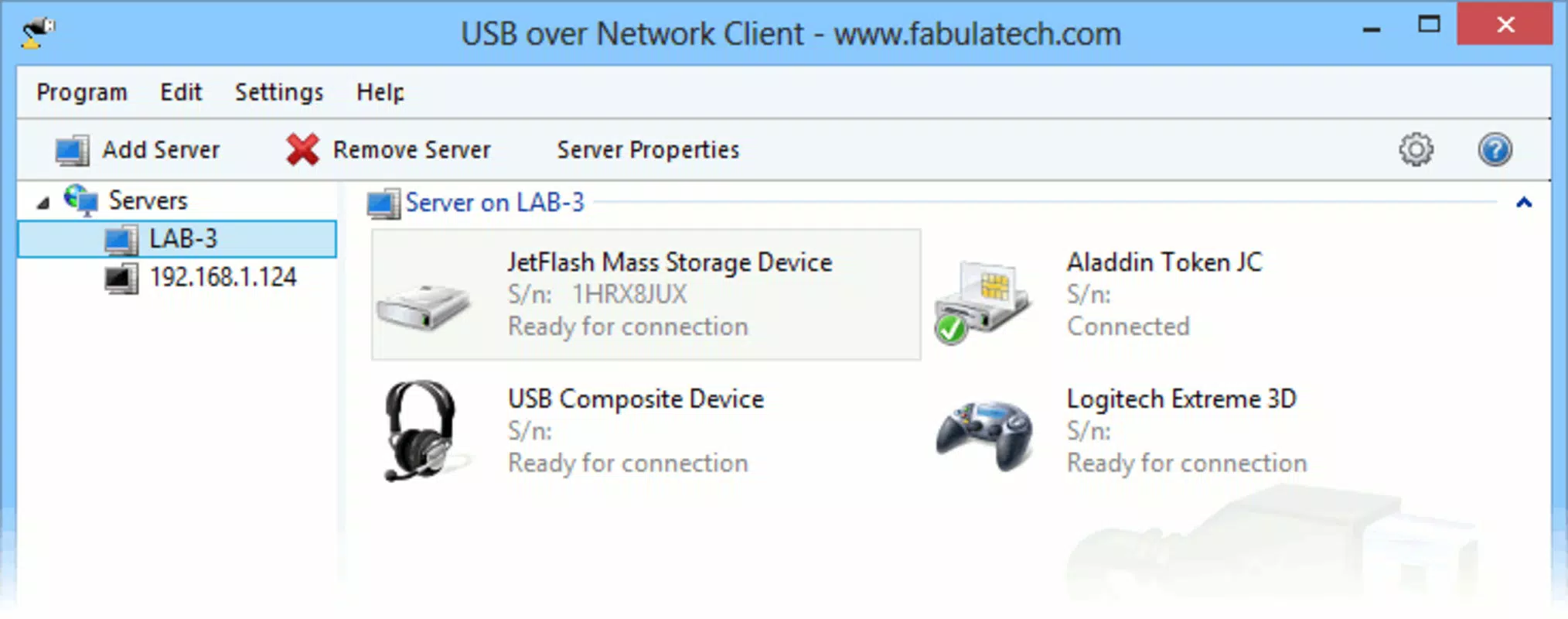
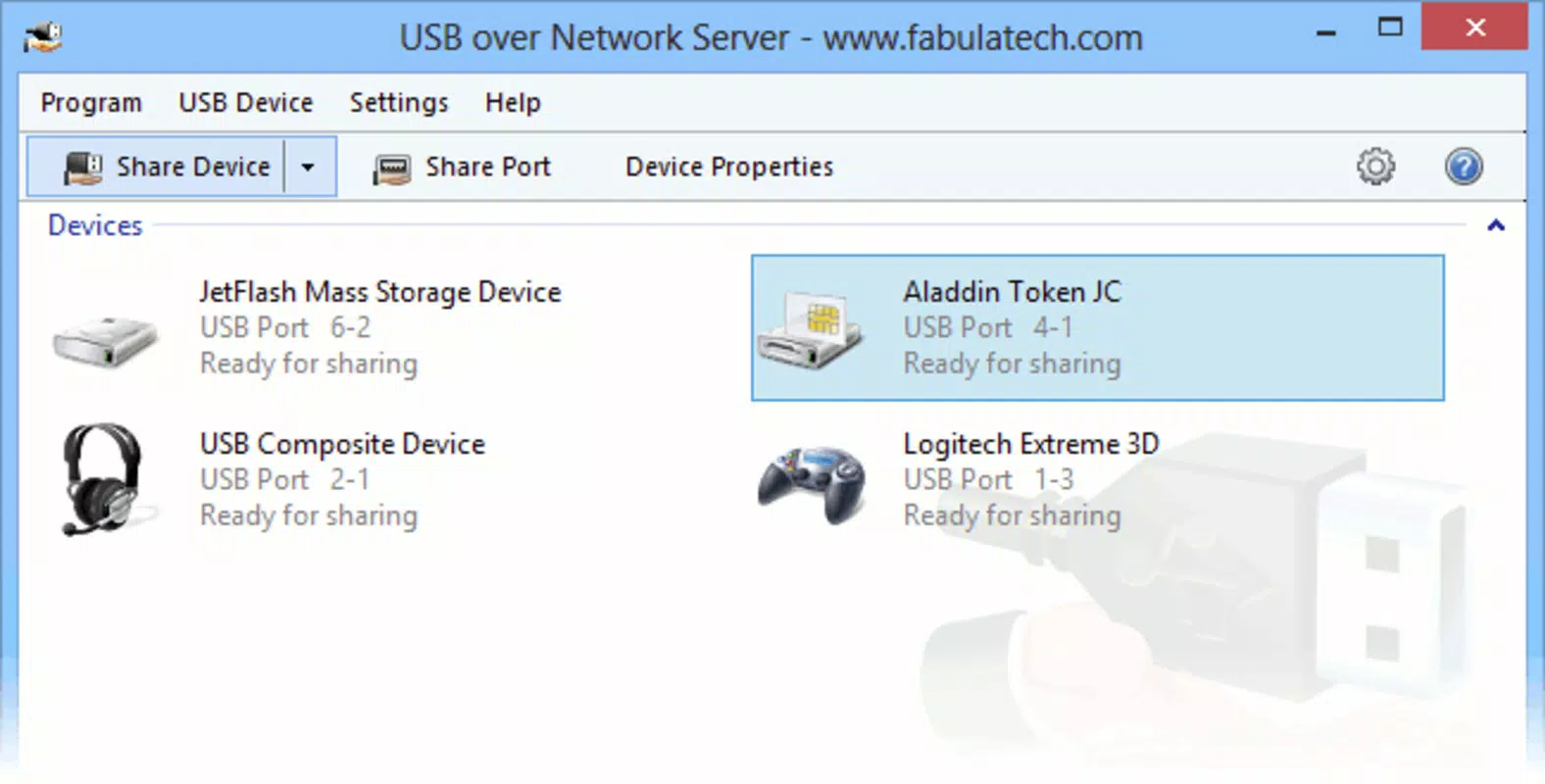
- User-Friendly Interface: The interface is designed for ease of use, allowing users to quickly identify and connect to available USB devices without requiring technical expertise. Setup is streamlined, with intuitive navigation and clear visual feedback.
- Multi-Device Support: The application supports a wide range of USB devices, including external storage drives, scanners, webcams, and printers. This versatility makes it adaptable to various personal and professional workflows.
- Enhanced Collaboration: By allowing multiple users on the same network to access shared devices, the app promotes teamwork and resource efficiency. In office settings, this reduces the need for duplicate hardware and streamlines document management.
For example, a team member can print a report from a shared printer located in another room without leaving their desk. Similarly, a user can retrieve backup files from a drive connected to a home server while working on a tablet in the living room. These real-world applications highlight the app’s practicality and value in daily operations.
Interface, UX & Performance
The user interface of USB Over Network is designed with simplicity and clarity in mind. Navigation is straightforward, with a clean layout that organizes connected devices and connection status in an easily digestible format. The visual design emphasizes usability, minimizing clutter while ensuring essential information—such as device name, connection status, and access permissions—is immediately visible.
Interaction flow is intuitive, allowing users to initiate connections with minimal steps. The app guides users through the setup process, including device discovery and authentication, without requiring prior technical knowledge. This contributes to a smooth onboarding experience, especially for non-technical users.
Although the developer did not list formal performance metrics, the app appears to maintain responsive behavior across different device categories. Connection latency is generally low, enabling near-instant access to shared devices. Stability is maintained during prolonged usage, with no reported issues related to disconnections or crashes. The app efficiently manages data transfer, ensuring consistent performance during file transfers and device operations.
Responsiveness is maintained even when multiple devices are connected simultaneously, suggesting effective resource management. The interface remains functional and reactive, supporting seamless transitions between active connections and device lists.
Platform Compatibility & Technical Requirements
USB Over Network is available for Android and iOS platforms, enabling cross-device compatibility across modern smartphones and tablets. The app supports the latest versions of both operating systems, ensuring access to updated security protocols and system features.
The current software version is 2.0.0, with a file size of 18.4 MB. This compact footprint allows for quick installation and minimal storage usage, making it suitable for devices with limited space. The developer did not specify minimum OS requirements or additional technical dependencies.
Compatibility information was not fully disclosed, but the app is designed to function on standard mobile devices with Wi-Fi connectivity. Users are expected to have a stable local network to ensure reliable device sharing. The app does not require root access or special permissions beyond standard network and storage access.
Pros and Cons
Pros
- Enables remote access to USB devices on a local network
- Supports multiple device types including printers and external drives
- Intuitive interface suitable for non-technical users
- Client-server model ensures secure and stable connections
- Enhances collaboration and resource sharing in shared environments
Cons
- Requires installation on both host and client devices
- Dependent on a stable local network connection
- Specific technical requirements were not listed
- May require additional configuration for advanced users
- Compatibility with older devices was not confirmed
FAQ
Is USB Over Network safe to use?
Yes, the app operates within a local network and does not transmit data over the internet by default. This reduces exposure to external threats. However, users should ensure their network is secured with strong passwords and encryption.
Can I use USB Over Network on both Android and iOS?
Yes, the application is available on both Android and iOS platforms, allowing users to access shared USB devices from a variety of mobile devices.
Do I need to install software on my computer?
Yes, the app requires installation on both the computer hosting the USB device and the mobile device accessing it. This client-server setup is necessary for proper functionality.
What types of USB devices are supported?
The app supports a wide range of USB devices, including external hard drives, printers, scanners, webcams, and other standard peripherals. Specific compatibility may depend on the host computer’s drivers and operating system.
How do I update USB Over Network?
Updates are typically delivered through the official app store (Google Play or Apple App Store). Users should enable automatic updates or check for new versions manually to ensure they have the latest features and security patches.
Final Thoughts
USB Over Network delivers a practical, efficient solution for users seeking to extend the reach of their USB peripherals beyond physical boundaries. Its ability to enable remote access to devices such as printers and storage drives makes it a valuable tool for home offices, small businesses, and collaborative workspaces. The app’s user-friendly interface and secure client-server model ensure accessibility without compromising reliability.
While it requires a stable local network and setup on multiple devices, the benefits far outweigh the minor configuration steps. For anyone managing shared hardware resources, this app offers a seamless way to enhance productivity and reduce hardware redundancy.
Download USB Over Network now


